Skip to content
View in the app

A better way to browse. Learn more.

RenoTalk.com ™

A full-screen app on your home screen with push notifications, badges and more.

To install this app on iOS and iPadOS
  1. Tap the Share icon in Safari
  2. Scroll the menu and tap Add to Home Screen.
  3. Tap Add in the top-right corner.
To install this app on Android
  1. Tap the 3-dot menu (⋮) in the top-right corner of the browser.
  2. Tap Add to Home screen or Install app.
  3. Confirm by tapping Install.

Leaderboard

Popular Content

Showing content with the highest reputation on 09/23/20 in all areas

  1. 1 point
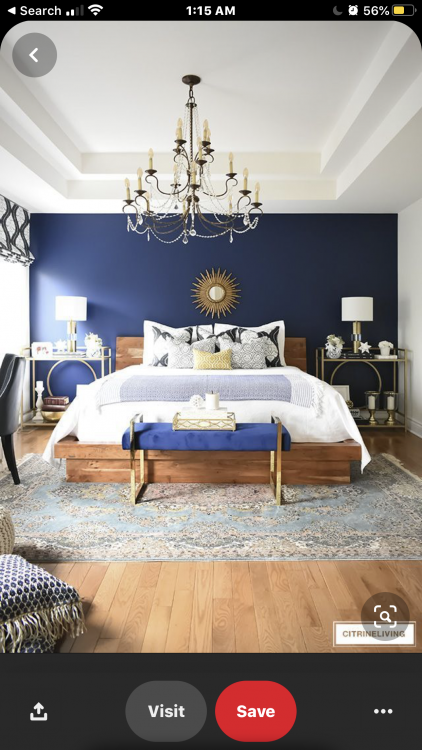
    @apperceive Wall color first! ? Gotten the idea From Pinterest. Initially, wanted to match the blue wall with a white bed frame. Couldn’t find one I like so, I switched to wooden frame instead. Took me some time to find this Oak bed.? As for the TV console, it’s part of the carpentry work done by the ID company. All my plugs/power points are hidden inside. Will take pics of it and the Aircon trunking when I dropped by this weekend.?
This leaderboard is set to Singapore/GMT+08:00

Account

Navigation

Search

Search

Configure browser push notifications

Chrome (Android)
  1. Tap the lock icon next to the address bar.
  2. Tap Permissions → Notifications.
  3. Adjust your preference.
Chrome (Desktop)
  1. Click the padlock icon in the address bar.
  2. Select Site settings.
  3. Find Notifications and adjust your preference.