Skip to content
View in the app

A better way to browse. Learn more.

RenoTalk.com ™

A full-screen app on your home screen with push notifications, badges and more.

To install this app on iOS and iPadOS
  1. Tap the Share icon in Safari
  2. Scroll the menu and tap Add to Home Screen.
  3. Tap Add in the top-right corner.
To install this app on Android
  1. Tap the 3-dot menu (⋮) in the top-right corner of the browser.
  2. Tap Add to Home screen or Install app.
  3. Confirm by tapping Install.

Clearance Sale For L Shape Sofa

Featured Replies

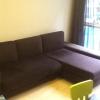
Hi, looking to sell my L shape sofa which i bought for $1650 for $200.

Condition is 8/10 (Only some decolourisation at the side nearer to the window due to exposure to sun. We always use our rainbow vacuum cleaner to vacuum it.)

Length is 2.7m. Good to sit at the L shape part to read a book or just to relax.

Self pick up only at woodlands area. Welcome to view and test it. Pls whatsapp me at 96667962 for more photos and viewing! thanks! Merry Christmas!

10885021_10154970881525075_8217173858995

Edited by tottenham10

  • 2 weeks later...

Create an account or sign in to comment

Account

Navigation

Search

Search

Configure browser push notifications

Chrome (Android)
  1. Tap the lock icon next to the address bar.
  2. Tap Permissions → Notifications.
  3. Adjust your preference.
Chrome (Desktop)
  1. Click the padlock icon in the address bar.
  2. Select Site settings.
  3. Find Notifications and adjust your preference.