Skip to content
View in the app

A better way to browse. Learn more.

RenoTalk.com ™

A full-screen app on your home screen with push notifications, badges and more.

To install this app on iOS and iPadOS
  1. Tap the Share icon in Safari
  2. Scroll the menu and tap Add to Home Screen.
  3. Tap Add in the top-right corner.
To install this app on Android
  1. Tap the 3-dot menu (⋮) in the top-right corner of the browser.
  2. Tap Add to Home screen or Install app.
  3. Confirm by tapping Install.

Leaderboard

Popular Content

Showing content with the highest reputation on 10/04/15 in all areas

  1. 1 point
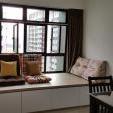
    welcome another 2 roomer, sendski! Woh, you want to seal bathroom door to your bedroom? why? Raised platform - raised platform is allowed but cannot with storage, as per HDB guidelines. But, I see many doing it. Shelter to wardrobe... hmm.. not sure abt ur floor plan, but not for me cos my shelter nearer to kitchen. anyway, after 1 whole week of repetitive logging into hdb and disappointedly log out... today finally status change to key collection on 19 Oct!
This leaderboard is set to Singapore/GMT+08:00

Account

Navigation

Search

Search

Configure browser push notifications

Chrome (Android)
  1. Tap the lock icon next to the address bar.
  2. Tap Permissions → Notifications.
  3. Adjust your preference.
Chrome (Desktop)
  1. Click the padlock icon in the address bar.
  2. Select Site settings.
  3. Find Notifications and adjust your preference.