


Leaderboard
-
mmoh
Members1Points755Posts
Popular Content
Showing content with the highest reputation on 09/18/16 in all areas
-
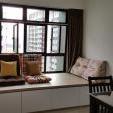
1 pointMy reno considered finished after getting electrician to add more sockets so that I just need plug in once to vacuum the whole unit . but still got many small and household items need to buy... My favourite corner with curtain Picket & rail tables and temporary loaned chairs, they came 2nd time to replace the chairs, deliver my missing bedside table and replace side rail and foot board as there are defects. Small kitchen become smaller after fridge and washing machine Note: for washing machine, I have purchased stands to level up the washing machine. 1) the existing pipe provided by HDB is quite tall, need to level up the washing machine so that water level is higher and can drain properly. Remember to buy the bigger one. If not, you may need to get your contractor to saw part of the pipe away. 2) more space so easier to clean if necessary. My cozy corner after adding some cushion and carpet bought from TB Have been buying alot from TB via ezbuy these few weeks. making use of the prime $2.99 shipment membership. Placed 3 orders already and spent >$700 to date for new and current house. expecting more online purchase and spending more $$... >_<
 1 point
This leaderboard is set to Singapore/GMT+08:00