Skip to content
View in the app

A better way to browse. Learn more.

RenoTalk.com ™

A full-screen app on your home screen with push notifications, badges and more.

To install this app on iOS and iPadOS
  1. Tap the Share icon in Safari
  2. Scroll the menu and tap Add to Home Screen.
  3. Tap Add in the top-right corner.
To install this app on Android
  1. Tap the 3-dot menu (⋮) in the top-right corner of the browser.
  2. Tap Add to Home screen or Install app.
  3. Confirm by tapping Install.

Clean Scandinavian Design 4-room

Featured Replies

Hi can I get your contractor contact?


waibest@hotmail.com.


thanks a lot!

  • 3 months later...
  • Replies 258
  • Views 173.8k
  • Created
  • Last Reply

Top Posters In This Topic

Most Popular Posts

  • SOURCING KITCHEN SINK Finally we can move on to shopping after finalizing our contractor! It is important that to start early to shop for the items below as we need to provide the dimension to contrac

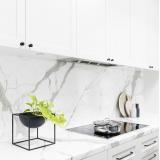
  • SOURCING KITCHEN HOB & HOOD Buying the right gas hob is important as we will cook often. The gas hob should comes with a good size for our kitchen. It must have an easy-to-clean design – a f

  • KEY COLLECTION Sorry for late of updates. Finally, we managed to collect the keys in July. Roll pineapple! First impression, the new flat is so small...... Layout of living room B

Posted Images

  • 2 weeks later...

Hi, able to pm me the contacts of your contractor? or those who had already gotten the contacts, pls pm me the contacts. Thank you!

  • 4 weeks later...

Create an account or sign in to comment

Account

Navigation

Search

Search

Configure browser push notifications

Chrome (Android)
  1. Tap the lock icon next to the address bar.
  2. Tap Permissions → Notifications.
  3. Adjust your preference.
Chrome (Desktop)
  1. Click the padlock icon in the address bar.
  2. Select Site settings.
  3. Find Notifications and adjust your preference.